
How to play TopCut Arena on stream.
TopCut Arena is the Pokémon auto battler you just watched. You type one word in the stream chat, and your own Pokémon walks out and fights live on screen against everyone else watching. It fights by itself. It is free.
⏱ About 3 minutes, start to finish-
Open the stream
We go live on Twitch and TikTok at the same time. Pick whichever you already use.
Nothing happening? We are not live right now. The rest of this page still works, and you can set everything up so you are ready the moment we start.
-
Type this in the stream chat
That is genuinely it. You are in the next round with a free starter Pokémon, and you can watch it fight.
Your Pokémon fights on its own. You do not control it during the fight, so you can just watch.
-
Get the free app
Everything you catch on stream belongs to you, but it needs somewhere to live. That is the app. It is free, there are no ads, and your first Pokémon is yours to keep.
Do this right after it installs. Open the app once, then fully close it — swipe it away, do not just go to your home screen — and open it again. The first launch downloads the newest version in the background and only switches over the next time you open it. Skip this and you are stuck on an older version.
-
Join our Discord
This is where you get your personal link code in the next step. One tap.
-
Ask the bot for your code
In any channel in that Discord, type this and send it:
The bot replies with a short code that only you can see, like ABC123. Keep that message open, you need it in the next step.
Nobody else can see the code. It is private to you, and it expires, so grab it right before you use it.
-
Paste the code into the stream chat
Go back to the stream chat and type !link, a space, then your code. For example:
Swap ABC123 for the code the bot actually gave you.
Watching on both Twitch and TikTok? The link only counts for the chat you typed it in. Do this step once in each chat you use, with a fresh code each time.
-
You are done
Open the app and follow these two taps. Everything you catch on stream shows up under My Pokémon. From there you can train it, give it items and moves, and send it back out with !join whenever we are live.
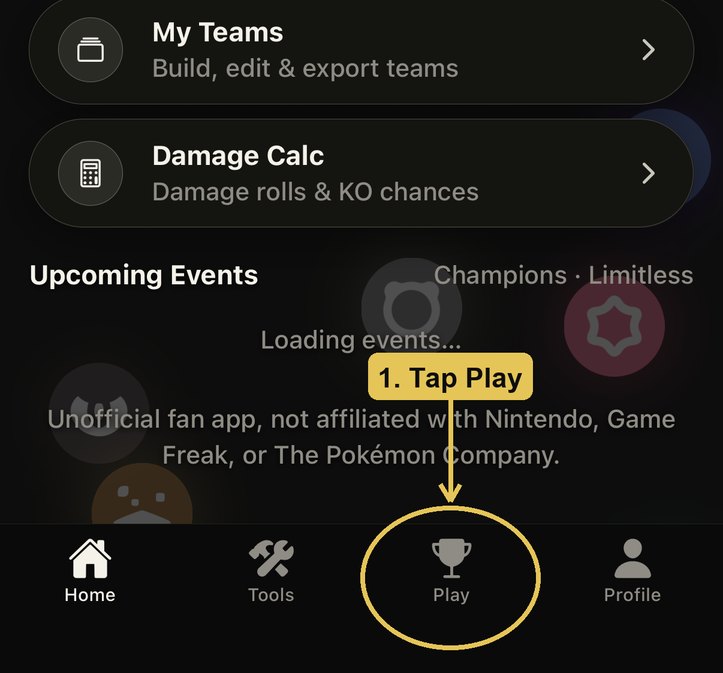
Tap Play at the bottom. 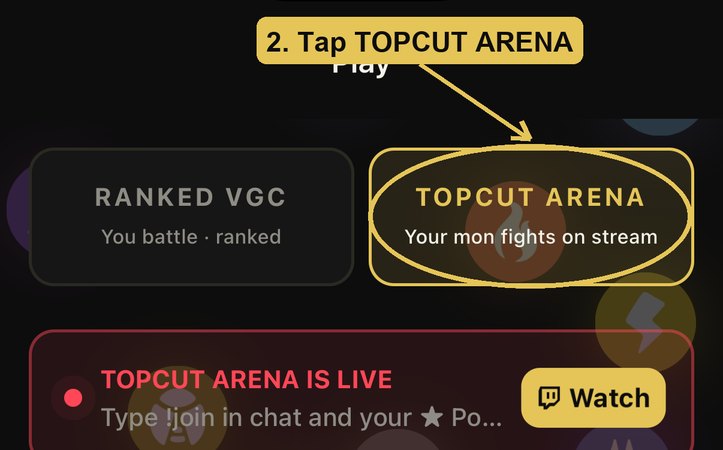
Then tap TOPCUT ARENA. 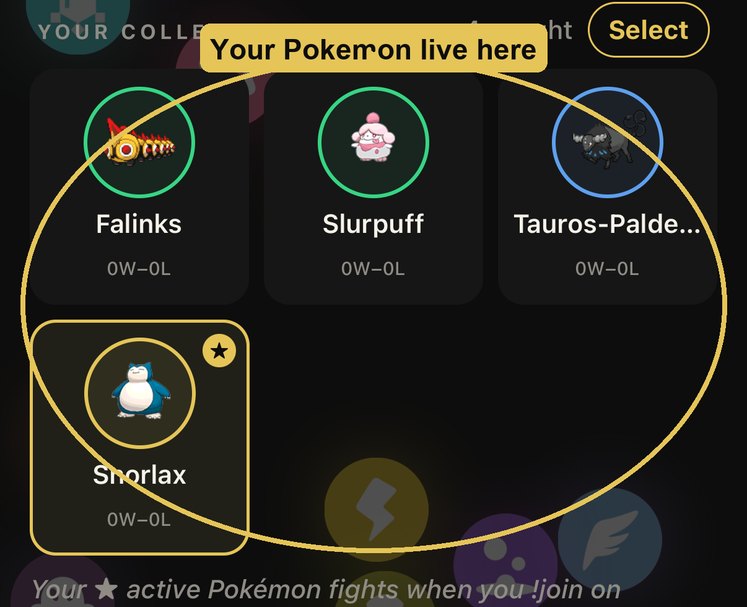
Everything you catch shows up here, under My Pokémon. 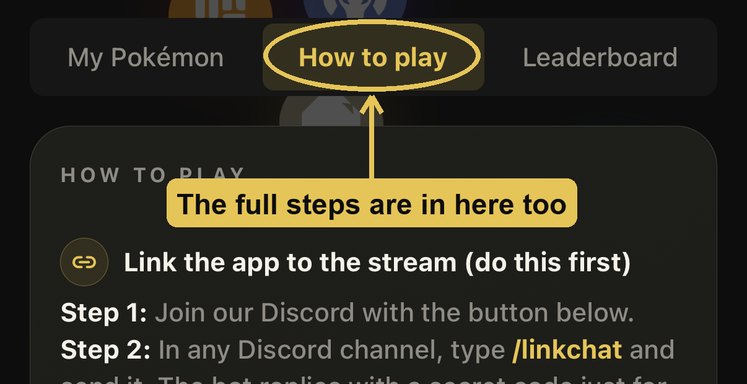
Lost? How to play in the app repeats all of this.
Something is not working
These are the ones people actually hit, in the order they hit them.
I typed !join and nothing happened
Check we are actually live. If the stream is offline there is no round to join. If we are live and it still does nothing, wait for the current round to finish — joins queue up for the next one.
My Pokémon is not showing up in the app
Almost always the link step. The link only counts for the chat you typed !link in, so if you joined from TikTok but linked on Twitch, that TikTok account is still unlinked. Do step 6 again in the chat you are actually using. If you are sure it is linked, fully close the app and open it again.
I linked before on a different account
Type !unlink in the stream chat, then do steps 5 and 6 again with a fresh code from the account you want to keep.
The bot did not reply to /linkchat
Make sure you sent it as a slash command in the Discord server itself, not as a direct message to the bot. Type the / first and pick /linkchat from the list Discord shows you.
Does this cost anything?
No. Playing is free, the app is free, and your first Pokémon is free to keep. There is nothing you have to buy to join a round.
Do I need to be good at Pokémon?
No. Your Pokémon fights by itself. You pick what it holds and what moves it knows between rounds, and that is the whole game.
Still stuck? Ask in the Discord, someone will sort you out.
Ask in the Discord